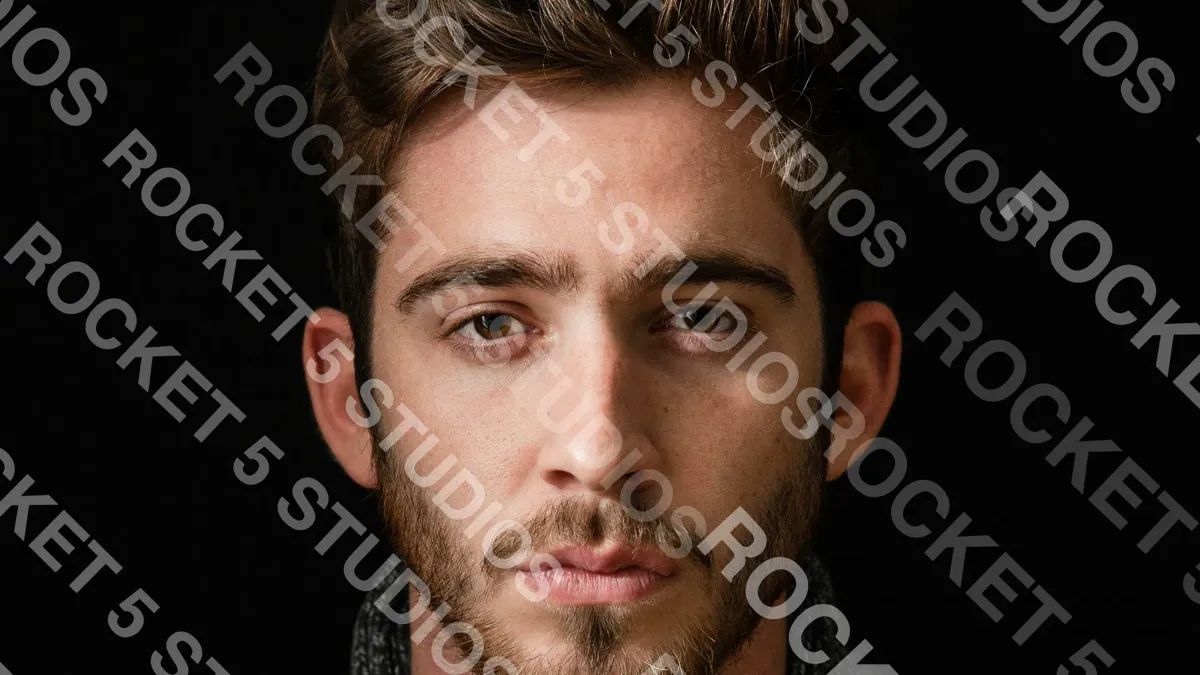
TL;DR: In our 324 AI watermark removal tests, AI cleaned watermarks off portraits almost perfectly. It stumbled on one kind of photo: images with their own text in them. Removing the watermark from a Mustang Mach 1 turned the "MUSTANG" badge into "NIUSTANE." In a Times Square shot, a McDonald's "OPEN 24 HOURS" sign came back as gibberish. If your subjects carry lettering (cars, sponsor banners, storefronts, product labels), a cleaned-up copy of your proof is likely to be visibly wrong in exactly the place your client looks first.
Can AI remove watermarks from photos that contain text? It can remove the watermark, but it often damages the photo's own text in the process. In our testing with FLUX Kontext, AI models removed watermarks from a car photo and a Times Square street scene, but they also distorted badge lettering and rewrote signage into nonsense. The models struggled to tell watermark text apart from text that belongs in the scene, so photos with lettering, logos, or signage resist clean removal far more than portraits on plain backgrounds.
What we saw
We tested five subject types in our first round: a portrait, a car, a street sports photo, a city skyline, and a graffiti-covered phone booth. Each got three watermark configurations (diagonal tiled text at 30% and 60%, and a tiled logo at 30%) and three different prompts, sent to four AI models.
The portrait results were bleak for photographers: the watermarks vanished and the faces came through intact. The two photos with prominent text told a different story.
The Mustang: badge lettering mangled
The car is a red Mustang Mach 1 with "mach 1 MUSTANG" lettering on the rear quarter panel. FLUX Kontext Max removed our 60% diagonal watermark with the prompt "Clean up this image and remove all text overlays." The paint, chrome, and wheel came back looking great. The badge did not: "MUSTANG" was re-drawn as something closer to "NIUSTANE."
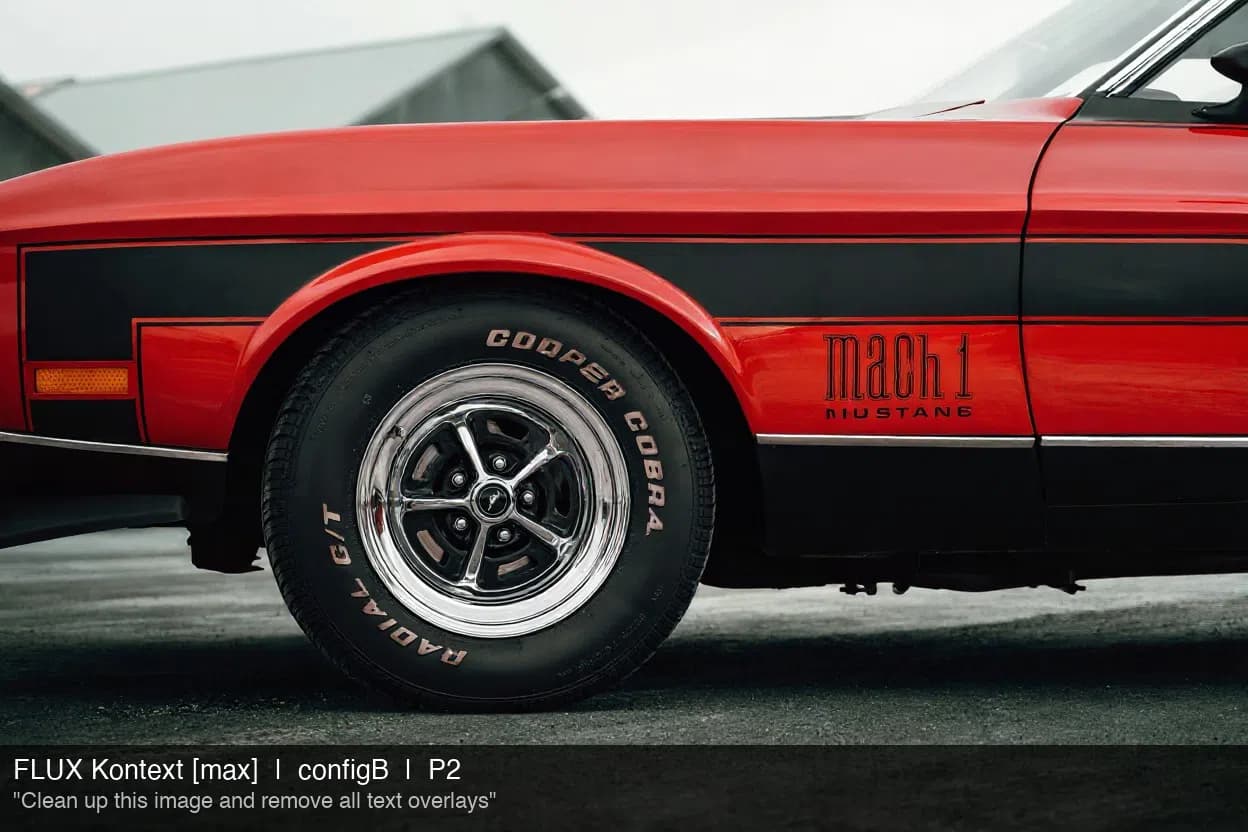
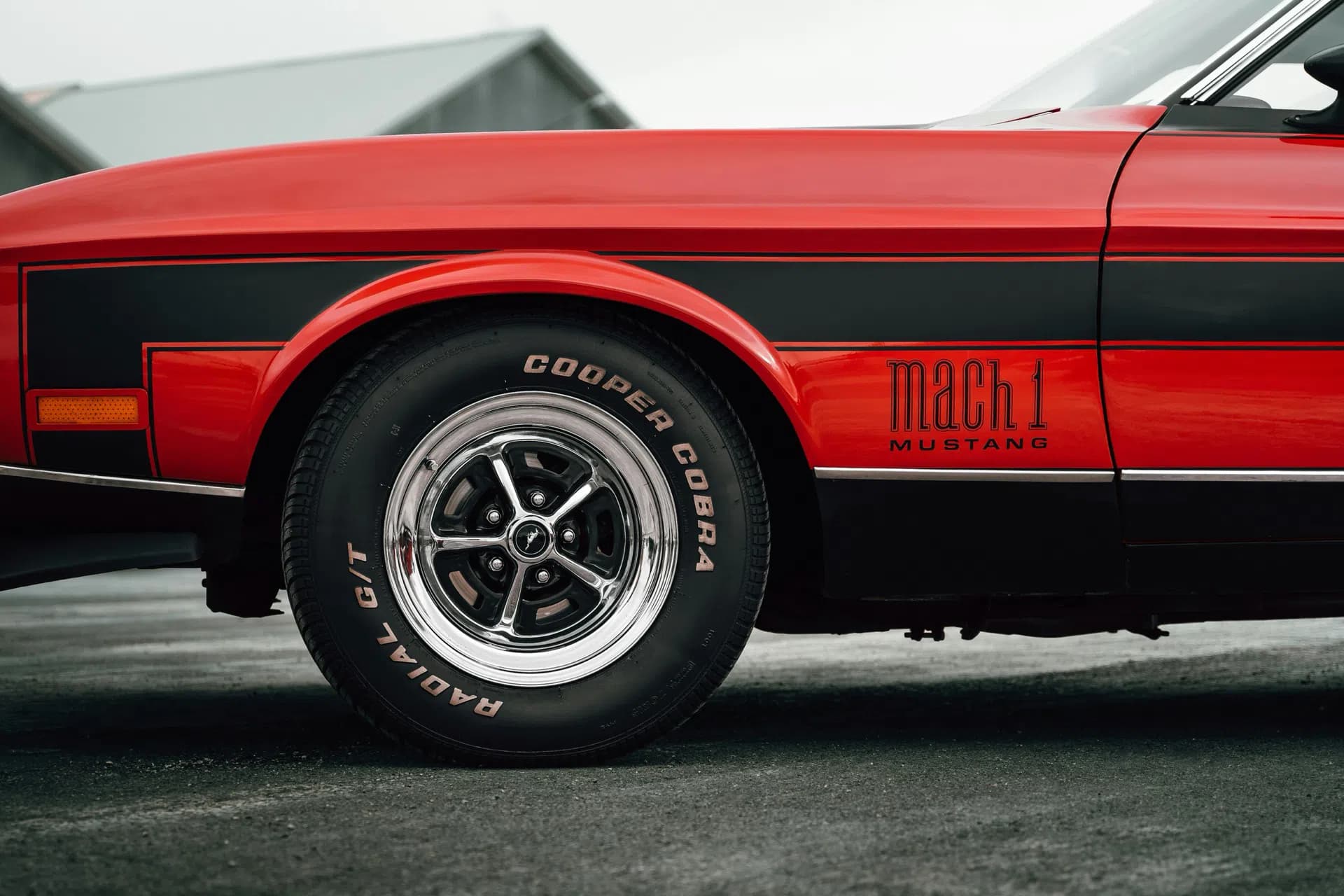
To a casual viewer, that's a nice photo of a red car. To the car's owner, the one person most likely to want the photo, the badge is the first thing they'd check, and it's wrong.
Times Square: signage rewritten
Our Times Square shot is packed with text at every depth: billboards, theater marquees, storefronts, and building signs. The AI removed the watermark, then "cleaned" a lot of the real text along with it. The McDonald's sign's "OPEN 24 HOURS" turned into unreadable shapes, and the vertical "@EXPRESSRUNWAY" lettering on a billboard to the right went the same way.
The large, bold signs (JERSEY BOYS, GET DOWN) mostly survived. It was the smaller and secondary text, the kind you only notice when you look closely, that got garbled.
Why text trips up AI watermark removal
Two things work against the AI here.
It can't tell which text is the watermark. A watermark is text laid over a photo. So is a car badge, a sponsor decal, or a shop sign. When the instruction is "remove the watermark" or "remove all text overlays," the model has to guess which letters don't belong, and in a busy scene it guesses wrong.
Image models are bad at rewriting text. Once the model decides to repaint an area containing lettering, it has to regenerate those letters. Image generation models have long struggled to produce clean, correct text, so regenerated lettering comes back misspelled, warped, or meaningless.
Faces and skin are the opposite case: smooth, predictable, and extremely well represented in training data. That's why portraits on plain backgrounds come out so clean.
Which photos benefit
Based on what we saw, subjects with significant built-in text or fine graphic detail are the hardest to clean convincingly:
- Automotive and motorsport: badges, model names, sponsor decals, race numbers
- Sports and events: sponsor banners, scoreboards, signage, and likely jersey names and numbers (we didn't test these directly)
- Real estate: house numbers, street signs, storefronts
- Concerts and venues: marquees, stage branding
- Product photography: labels, packaging, logos
- Street and urban photography: shop signs and billboards
The reverse is just as important. Portraits, headshots, and school photos on simple backgrounds, the bread and butter of proof-based businesses, are where AI removal works best.
How to use this when you watermark
- Cross the subject's own lettering. Use a tiled or diagonal layout so the watermark overlaps badges, signs, and logos, not just empty sky. Any attempt to remove it then has to repaint the text that matters. A tiled pattern does this automatically. ImageCrush's watermark tool previews exactly where the tiles land before you export.
- Keep opacity moderate. Around 25–35% is enough. In our tests, 60% opacity didn't stop removal either; it just makes your proof harder for the client to judge.
- Still limit proof size and use a proofing agreement. Text damage makes a cleaned copy worse, not impossible. Small proof files and clear terms are what actually protect you.
What this doesn't change
This is a weakness, not a defense. Models are improving quickly, especially at rendering text, and a determined person can retouch a few letters by hand. Treat it as a small bonus for certain subjects, not a reason to rely on watermarks alone. The conclusion of our original test stands: a visible watermark is a label and a piece of evidence, not a lock.
Testing conducted March 15–16, 2026, with FLUX Kontext Pro and Max, GPT Image 1, and Gemini 2.5 Flash. Test images from Unsplash, watermarked with ImageCrush for testing only.
Frequently Asked Questions
Can AI remove watermarks from photos with text in them?
Yes, but it often damages the photo's own text while doing it. In our tests, AI removed the watermark from a Mustang photo but garbled the "MUSTANG" badge, and rewrote a Times Square "OPEN 24 HOURS" sign into gibberish. Photos with lettering, logos, or signage resist clean removal much more than portraits.
Which photos are hardest for AI to remove watermarks from?
Photos with built-in text or dense graphic detail: cars with badges, sports with sponsor banners, storefronts and signage, product labels, and busy city scenes. Portraits and headshots on plain backgrounds are the easiest for AI to clean.
Does watermark placement matter for AI removal?
It can. A watermark that overlaps the subject's own lettering forces an AI tool to repaint that lettering, which it often gets wrong. A tiled or diagonal pattern covers those areas automatically. It won't stop removal, but it makes a cleaned copy more likely to show visible errors.
Will AI get better at removing watermarks from text-heavy photos?
Probably. Image models are steadily improving at rendering text, so treat this weakness as temporary. Pair watermarks with smaller proof sizes and a proofing agreement rather than relying on the watermark alone.
Further reading
- I Tried to Build an AI-Proof Watermark. Here's What I Learned.: the full 324-attempt test
- How to batch watermark photos on a Mac: tiled and diagonal watermarks with live preview, applied to a whole folder

Written by
Tim Miller
Creative Director & Developer, Rocket 5 Studios
Multi-disciplinary creative director and interactive media developer with 20+ years of experience across games, apps, branding, and the web. Tim is the developer behind ImageCrush and the co-founder of Rocket 5 Studios. More about ImageCrush